The Secret to Math Success is CREATIVITY

This week I threw Dan Meyer’s Graphing Stories opportunity at my 6th graders.  It is not for a grade, I am not giving (much) class time to work on it.  However, I have rarely seen them work so hard.  And, I have never seen students care so much about something related to math that isn’t even graded!  What’s the secret – CREATIVITY!

I showed them some of Dan’s original Graphing Story videos for illustration.  I showed them my 7th graders videos for inspiration.  And then I let them go.  They worked over the weekend, at night, and during down time at school to come up with ideas and produce their videos.  They are asking other students to be in their videos, they are helping each other film, and they are measuring heights like crazy.

They are asking me fabulous math questions:

  • “How can I get the height of myself when I am on the amphitheater stairs?”
  • “Can I use the elevation of just one foot?”
  • ” Can I slow down a part of my video to stretch it out so it will be 15 seconds but I will be moving in slow-motion?”

They are doing extra math:

  • “I am 76 inches but need to use feet.  Wait, I remember how to do that!”
  • “If each step is 14 inches high and there are 6 steps, that is 84 inches.  But, that can’t be high enough.  Oh yeah, I need to add MY height to the 84 inches.”
But mostly, they are working like crazy – and begging to do it!  That is saying a lot for 12 year olds in the last ten days of school!
Now for the hard part – I need to develop “creative math” that teaches my entire math curriculum.  After seeing them light-up and work so hard on the creative pieces I have assigned throughout the year, I am no longer happy with “regular” instruction, no matter how fun or “investigative” I have made it.  I want them to learn through creating.  I want them to have to search for answers to finish their creations.  I love to see them thinking so hard.  I love to see such active and excited learning.
If you have any great creative curriculum pieces I would love to see them.  I want more!

Graphing Stories

I absolutely loved Dan Meyers Graphing Stories! I rounded them all up into a single Powerpoint presentation, and watched them with my 7th grade class last fall. All I forgot was popcorn (…next year)!

After the viewing, I told them that they were all going to get to make their own Graphing Stories.  I put them into groups of four, and then assigned each group a graph characteristic, either vertical, horizontal, increasing, or decreasing.  (About fifty percent of their graphing story needed to be their “assigned” characteristic.)

After the groups brainstormed and planned, we hit the outdoors to film!  We filmed their 15 second stories around our beautiful campus with my iPhone. I uploaded their videos to YouTube and then they went to work!  It was the beginning of the year, and they were all new students to me thus I had just introduced them to Google Spreadsheets.

Graphing Story Requirements:

  • The presentation must be done on Google Presentations (so that the four group members could easily share and work at the same time).
  • Fifty percent of the graph needed to be the assigned graph (vertical, horizontal, increasing, or decreasing).
  • Use Google Spreadsheets to create the “answer” graph.
  • Create a “blank” graph with label axis so that students could label their graphs.
  • Create an activity sheet with a blank graph and summary questions.
They worked so hard – and this was a very difficult project for them because they were new at Google Spreadsheets and had never used Google Presentation before.  It took them longer than I had anticipated.  The end results were beautiful and creative.  Some of the graphs were not as “exact” as they could have been, some bumps were left out.  But, I was so proud of them that I did not even take off that many points for the errors.  I have included links to their movies below.
Now, seven months later Dan has created a Graphing Stories website and very generously offered to create beautiful Graphing Stories videos from stories we all send in!  I am excited about this extension of their graphing stories for my students.  This is perfect timing for them as we have just begun reviewing material in preparation for their final.  Going over their graphs in order to submit their stories will be a great way to review.  And I am so excited that their Graphing Stories are going to the next level.
7th Grade Graphing Stories
I can’t wait to watch all of the new graphing stories that Dan pumps out next year with my rising 7th grade.  I think it will be fun for kids to watch them as homework, and then present their favorites the next day.  I know it will be fun for them to watch their class mates as well!

Cutting Out the Pythagorean Theorem

I taught the Pythagorean Theorem to my 7th graders earlier in the year using a variety of methods.  I wanted them to not only see but experience and even touch the theorem.  However, the activities did not go as well as planned.  As easy as it seemed to show them how this beautiful theorem worked, it was much harder in practice.  Middle school students are very visual.  And, unless instructions are explicitly clear, they can easily veer off course.  This is not their fault, and in fact is one of the most endearing things about middle school students.  They are really just so excited about learning that they often dive right in and usually leap before they look!

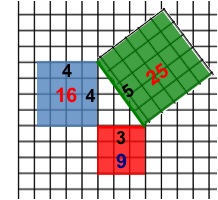
When I tried to do this activity with my 7th grade instructions went awry, and my students were confused instead of enlightened.  So, I learned from my mistakes, and decided to try again with 6th grade.  But this time, I created a visually precise Powerpoint presentation for the 6th graders to follow.  I let them draw, color, cut, and glue.  They were engaged, they were able to follow along, and they understood!  This activity gave me multitudes of the infamous “light bulb” gasps that I crave!   Since I did this activity, I just remind them of the area of the squares when they incorrectly make the hypotenuse a leg length, and they get it.

  • Required Materials:  Centimeter graph paper and scissors.  I cut the graph paper in half (hamburger) to conserve paper.
  • Suggested:  Colored pencils or markers and a glue stick*.
The night before the activity have them read about the Pythagorean Theorem in their book.  Have them write down the definition, the diagram, and the formula in their notes.  In class the next day, have one student read the definition from their book.  Ask them what they think about it.  When they say, “What in the world does that mean?” and “That sounds like Chinese!”, tell them, “No, it’s GREEK!” and then start the Powerpoint.  Color and cut with them, then sit back and bask in the “light bulb” gasps!
* I had them glue the 25 on and then glue the whole thing in their Geometry Booklets.

Math Wiki Project to Develop Interactive “Concept Help” Resources

One of my primary goals this year has been to develop easily accessible resources for students to get additional help outside of the classroom.  Students, parents, and tutors ask me for extra material for the students to work on.  Additionally, sometimes students are at home and stuck on a problem, need help with an entire concept or lesson, or miss a few days of school and need to catch up.  I wanted to be able to point students (and parents and tutors) to an interactive “re-teaching” resource that they could benefit from.  As a bonus, it would be nice if these “re-teaching” resources varied from my original instruction, were interesting, or even fun!

I started this project solo.  But, there are many, many concepts in the two classes that I teach.  Also, I did not feel that I was finding enough of a variety of resources.  So, I decided to enlist student help.

I created a project for my 7th grade pre-algebra students called “Concept Help Pages”.  I assigned each student three
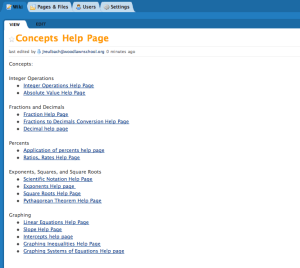
concepts.  I picked the three concepts for each student from their lowest personal concept scores.  For each concept, students had to create a wiki page on our class wiki and fill it up with four different types of resources.

  • Online video explaining their concept
  • Online worked out practice problems that illustrated each step and had the answers.
  • Online “interactive” problems for students to work and get immediate feedback
  • Online game
Part of the requirements were that the videos and games had to be interesting and fun.  They needed to view the videos and play the games.  I wanted the pages to be visually appealing as well so I offered a small amount of bonus points for including a picture or illustration that directly related to their concept.  I also had the students do “Peer Reviews” of each other’s pages to check the links, play the games, and give suggestions on how to make each others pages better.
This is a work in progress.  I plan on having other classes add to the help pages in the future.  As a project for 6th grade, I am going to assign them each one of the wiki help pages for them to explore.  I will then see if they feel that they can find additional (and maybe even better) resources to include on each page.  In this way, I hope to make the pages very rich in helpful resources.
Going forward, I would like to use these pages during after school help sessions, especially when I have multiple students that need help on several different concepts.  When this happens after school I am usually scrambling to help everyone.  I make up several problems for several students and then try to work with them all individually (at the same time).  The students are rarely at the same level.  Usually, everyone ends up waiting on me while I work with one student.  If all students could pull up the online interactive problems on the concept that they need to work on, they wouldn’t have to wait for me to make up a problem for them OR check to see if their answer is correct.  I would have more time to walk them through the problems and help them when they got “stuck”.  This would enable me spend after school help time circulating between students, helping each student with exactly what they needed help on, instead of spending time making up problems and giving out answers.
Flyswatter Review Game – Powerpoint Template

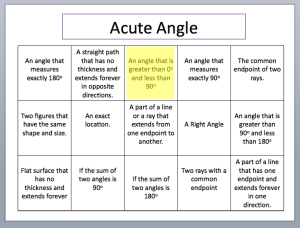
You’ve got to love ANY game that gets kids JUMPING for math!  This game does just that!  I got the idea from Kate’s blog.  I am a floating teacher, so taping the answers on the board wasn’t practical for me.  Instead, I created a Powerpoint presentation that can move from class to class with me.

How it works:

First, split the students into two teams and arm them with flyswatters.  I taped a line on the floor that they had to stan

d behind.  Then, I put up a powerpoint slide that contains definitions in boxes.  A question pops up at the top of the slide and the first person to “swat” it wins!  In the case of a tie, the swatter on the bottom wins!  This game can move FAST, so I added a pop-up yellow box to indicate the answer after they swat.  This way it is quick.  They love seeing the yellow box pop-up!  You could also put answers to questions in the boxes and put the question at the top.  At the end, I did a “Speed Round” where the answers in the boxes were short so kids could read them quick.  The Speed Round was a blast!

The file is a PPT template with instructions.

Or, you can just download the PPT file (not a template) with instructions.

Happy Swatting!

Update: If you want the actual Geometry Review Game – it’s here!

This Is How I Roll

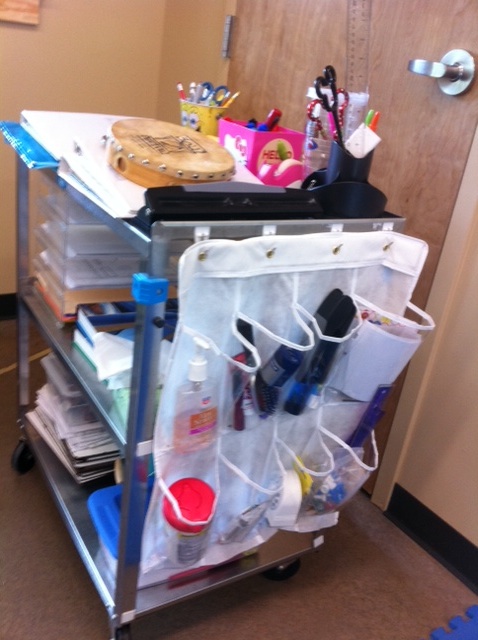
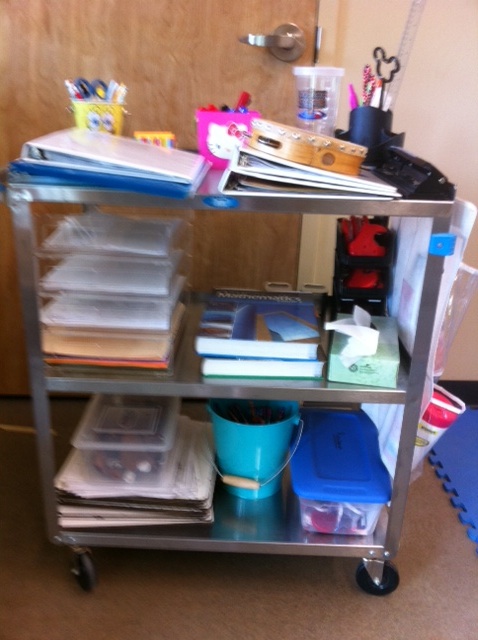
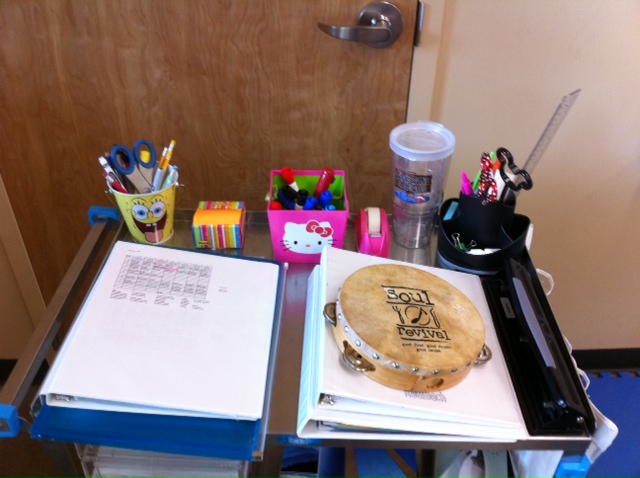
Yes, I am a “mobile” teacher, roving the campus on a cart.  Even though I am usually in one of two classroom, I can go between four classrooms and the Lodge!  Here are pictures of my mobile (rolling) office.  THIS is how I “roll”!

I used half of a shoe organizer on the end for extra supplies.

I ❤ my Cart!

MATHO Review Game – Powerpoint Template

MATHO is a version of Bingo.  It is great for review.  Students work problems and then if they get the problem correct they get to mark off a number on their MATHO board.  First person to get five in a row wins!

I used to play this game all of the time, but had forgotten about it.  When I brought it back, I used technology to make it better!  I put the MATHO board (word document) into a page protector with dry erase makers, and a Powerpoint to make it very easy for me to implement in the classroom.

Procedure:

  1. Pass out MATHO sheets inside page protectors and dry erase markers.
  2. Students pick any one space to be a FREE space.
  3. Students randomly number the remaining blocks 1 – 24.

I put up a problem and students work out the answer on their whiteboards, then show it to me.  If they get the answer correct, they get to mark off the number I call out on their MATHO boards.

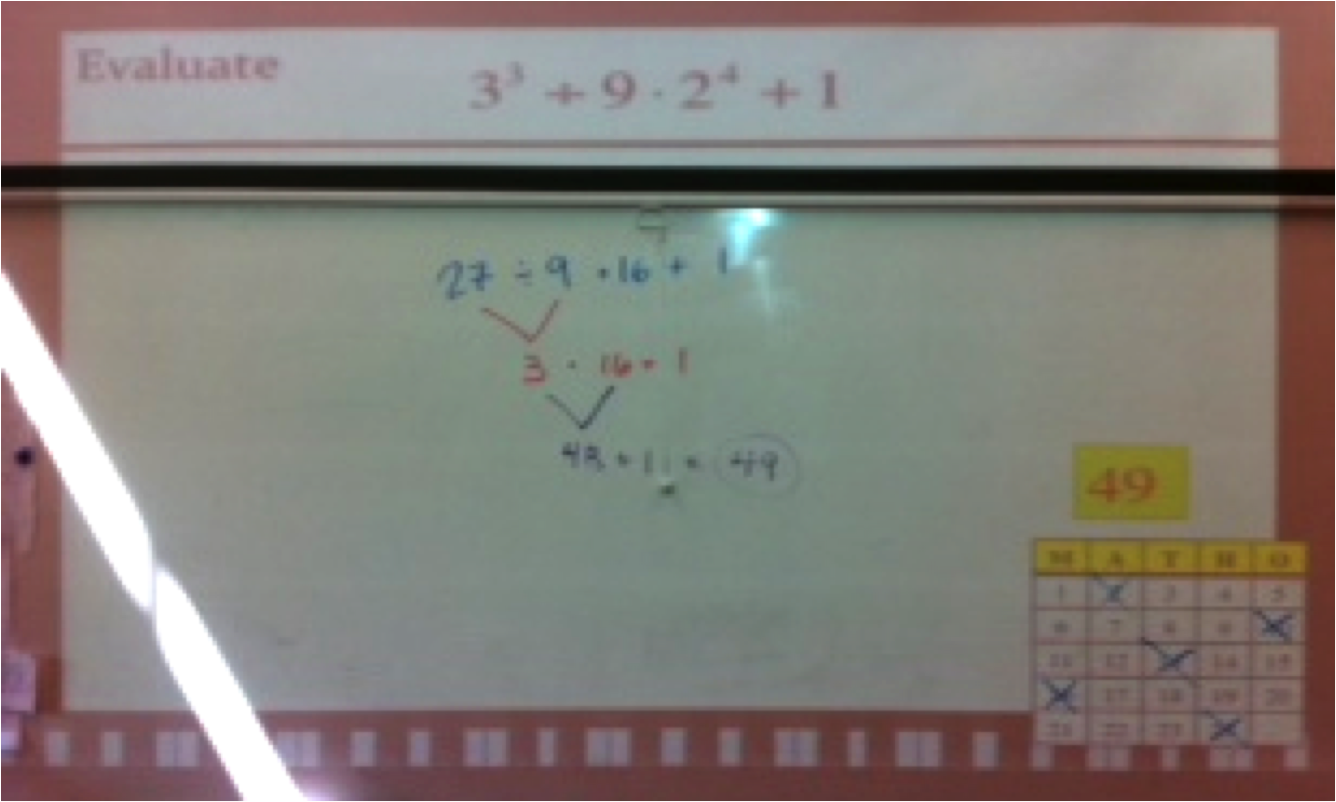
For instance:  After the first problem, I call out the number 14.  If they get the problem right then they can mark off 14 on their boards.  I mark off each number on the mini-Matho board in the bottom corner to keep track of the numbers I have called.  This also helps check to see if their numbers are accurate when they call out MATHO.

As usual, about 1/2 way through the class a student calls out MATHO! and gets a prize from the prize pail.  At this time, I have all students erase their entire boards, renumber, and then we start all over.  Before I used the “erasable” MATHO board I would just keep going and say, “next one to get 5 in a row” or “first one to get the whole board” to keep them going.  But, erasing and re-writing the board so you can start all over prevents 6 students from getting MATHO again in 5 minutes at the same time.

Files for MATHO Game:

http://www.box.net/shared/y4n217vfq1

I am new to Box, so if the link doesn’t work please let me know.

http://www.box.net//static/flash/box_explorer.swf?widget_hash=y4n217vfq1&v=0&cl=0&s=0

Factoring with X-Puzzles and Boxes

Factoring is an important concept in Algebra I, and often a difficult one. My pre-algebra class flew through polynomial multiplication, so I decided to give them some exposure to factoring.  I was going for exposure more than mastery just so they could have some factoring experience going into Algebra.  As my students are young and just beginning to develop abstract thinking, I decided to try more concrete/ visual methods for factoring.

Naturally I though of my fabulous Algebra teacher friend who gave me the Math Hunt idea. She swears by factoring with “the box”, especially with students who tend to struggle more.  Even though I had never factored using the box, multiplying polynomials with the box was a big hit so I decided to look into it and give it a go!

The GCF
We started with the GFC, how to find it and un-distributing (or de-clawing) it from Polynomials.  I made a graphic organizer relating what they knew with what they were learning. I gave them a slew of homework and they SLAYED it.  Looking back, I should have also put GCF problems using the box too. It would have helped a few of my strugglers in the coming days.

X Puzzles
Riding on the good GCF vibes I found a great x puzzle worksheet (more commonly known as diamond puzzles) that I gave to my students.  I really, really love the Internet!   Some of these puzzles were HARD.  But since they were puzzles they LOVED them. Go figure.

Putting It All Together
I then showed them what came to be know in our classroom as “x-box” factoring.  Since they were very familiar with polynomial multiplication with the boxes, showing them factoring was almost effortless. Puzzle + boxes = factoring.  I had them do a few in their notes so that they would have examples to go by for homework, and then I pulled out a dry-erase template that I made.  I printed out the templates and they put them in page protectors.  They love anything that they get to do with dry-erase markers (and I will do anything to make factoring less painful) so it was win-win!
http://www.box.net/embed/ped744bvi3nvv5h.swf

Just because it went very smoothly for them during practice does not mean that they would remember it.  So, after several practice problems I had them write down their own steps to x-box factoring.

After somewhat of a rocky start, writing their own steps went REALLY well.  This showed me that I definitely need to have them do more of their own step writing in the future.  They came up with some great (and very detailed) steps!  We combined their steps as a class to come up with a condensed list.  Here is a pic I took of their first few steps.

The best thing about the x-box factoring is that we stared with the “hard” problems first.  Only a few days later did I show them the simple method for factoring trinomials with a leading coefficient of one.  Some kids took to it, but most stuck with the x-box.  I did not do as many games as I should have this unit.  I was too focused on making sure that each student could get the factoring down.  I will definitely because (too late) I noticed waning attention on the last day we practiced.  A game would have definitely livened things up!  I haven’t begun to look for games for this unit next year but @merryfwilliams shared one that she tried called Algebra Connect.

More diamond puzzles, worksheets, and activities for factoring can be found here.  Happy Factoring!