I would love to give my students a good end of year survey. Does anyone have one they like? If so, I would love to see it. If not, do you have ideas for questions that would be helpful on a student survey? I plan to make mine on a GDoc Form.
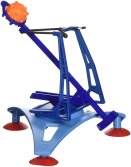
You should definitely shoot candy when you cover projectile motion in Algebra! I got this fun idea from Sean, who even had his students build their own catapults! He’s a rock star. Luckily, our math department already had some catapults that I was able to use. If you want to save time, the catapults were only $7.89 from Amazon and worked great! I used Starbursts instead of the included balls (candy for the win). But students did have to create a tape basket for the shooter since the Starbursts were smaller and were falling through. My students call this the Starburst Catapult activity and many said it was their favorite activity of the year.
This activity follows my projectile motion lesson, which will be very helpful for your students to do before Candy Catapult so they understand what the dilation should be and where it is coming from. After reading Mimi’s comment on Sean’s post I amended Sean’s instructional worksheet (Candy Catapult Worksheet) to have the students do all of the quadratics work with just the time. This makes it a projectile motion problem, and then they can use -4.9 meters/sec for the a.
Candy Catapult:
In groups of 3 or 4, instruct students to carefully read their handout.
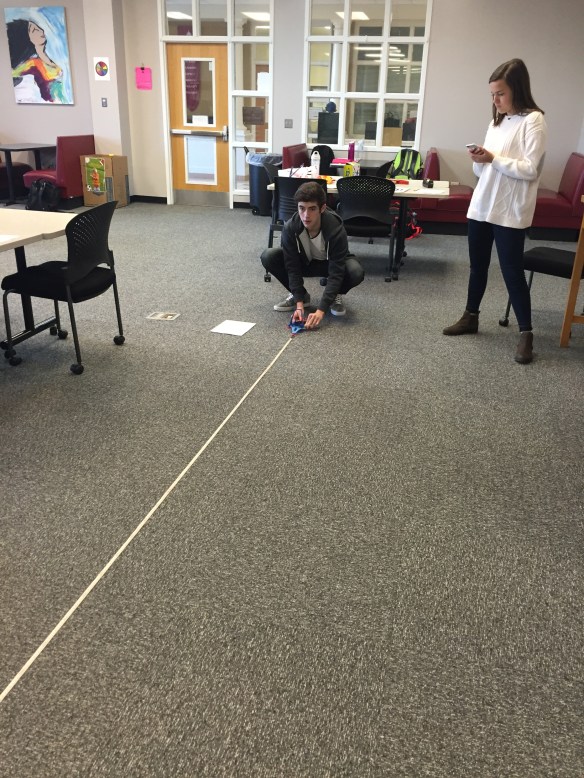
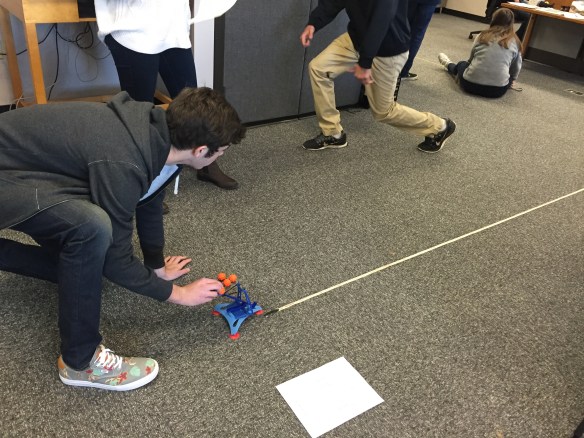
Students shoot the catapult from the floor and time how long it takes for the candy to hit the ground and the distance their candy travels. Students used their smartphones to time the flights. I tell them to practice and make sure they are getting accurate results. They do not get a target at this stage.
They use this data to create a quadratic equation of the candy’s flight (in factored form). We used -490 cm/sec as the dilation since we measured in cm.
They measure the height of a desk and use their equation and Desmos* to find out how long it will take their candy to hit the floor from the desk.
After they find the time the candy will be in flight, they use proportional reasoning to calculate where to place the target.
No one may shoot from the desk until all groups are finished, then we ALL gather around and watch each group shoot, one at a time.
*I made a Desmos Teacher Activity for students to record their data and then enter the equations that they created from their data. This was a great visual check for them to make sure their equations matched their data before moving on. The graphs also helped them find the numbers they needed when going from shooting from the floor to shooting from the desk.
I did this lesson with all four of my classes, and of course it got better as the day went on. I always feel sorry for my 1st period class. I started out having the groups do all of the work individually, even the final round. But there was really ZERO excitement in that and it just kind of, ended. By my last 2nd two classes of the day I had set up a true, “Final Challenge Round!!” where the entire class watched. I even played Jock Jams to get them all “pumped up”. Oh, the things I do to get high school students energized.
We did everything in an 85 minutes block class. However, I wish I had spend one additional class day after the activity to reflect and even challenge them with variations of the catapult problem to whiteboard with. I need to find giant catapult war related problems! (Or I’m watching way too much Game of Thrones lately). But really, wouldn’t that be the most fun!
Tips for Success:
MOST IMPORTANT!! Do the final round at the end, with everyone watching each other so they can root and especially heckle.
Play music during the finals. (I used a Spotify Jock Jams playlist.)
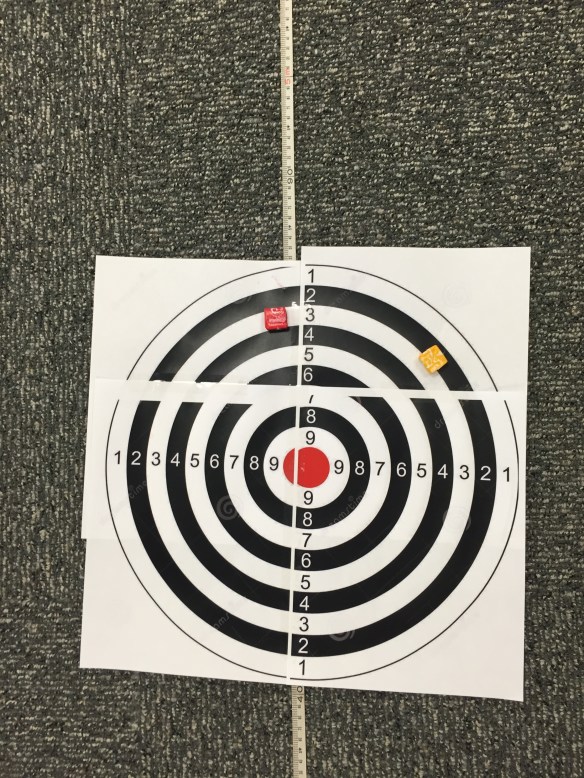
Print out a LARGE target! I found a picture online and used 4 sheets of paper.
Emphasize consistency, consistency, consistency.
Use centimeters to measure, and -490 cm/sec for the dilation.
Remind them to sure the are consistently measuring in cm, not flipping the tape over and ALSO measuring in inches. True story.
Bring prizes for winners
Spend an additional day reflecting, and even give additional problems to solve.
If you do this activity and create a reflection activity or additional problems I would love to see them! 🙂
I read about #MTBoS30 on Twitter yesterday. After blogging only about once a month (or even every other month) for the past year or so, I actually blogged three times in a row last week! I doubt I can blog something every day. We have AP exams this week so we are missing class days, and then we only have two weeks left until finals. But, I am going to try! I love and miss blogging and am happy to get back into the habit again. Plus, I absolutely adore Anne so I’m in for anything she starts!
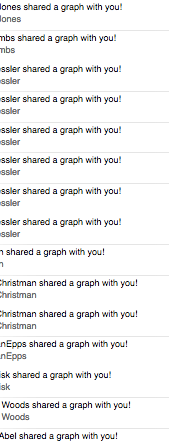
I am writing this blog as a Public Service Announcement. Or rather should I say, Prevent Stupidity Announcement. If you want to assign Desmos for homework but DON’T want your inbox to look like this (imagine about 150 more emails), then use Desmos Activity Builder.
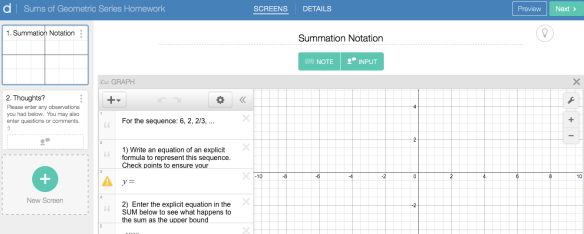
This should have been obvious to me, but I’m never my best at the end of a long week (especially this close to May). Thankfully, the wonderful Dylan Kane is way ahead of me and made a “blank slate” template on Desmos Activity Builder! This is such an ingenious way to utilize Desmos and cut down on a teachers workload. Instead of searching through my Haiku inbox or 170 emails to see students work, I will now only have to look at ONE page on Desmos.
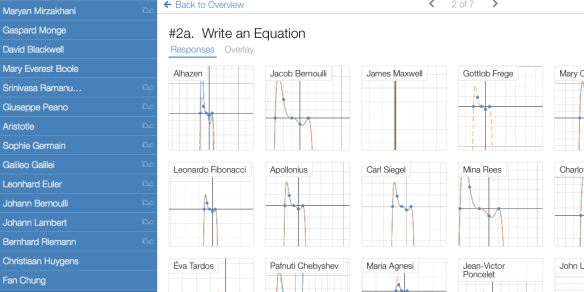
For those of you not familiar with Activity Builder, you can start with Dylan’s template, make an instruction page, and then have your students create all of their graphs in the same place. As a bonus, you don’t have to wait until they are finished and emailing you before you see what they have done. You can watch them working LIVE, and help them if needed. Your screen will have ALL student names and graphs on one page (also, love the new “fake names” option)!
 I got this fun idea from

 I Speak Math