SeeSaw – Student Generated Help Videos

As an educator, there is nothing I love more than awesome professional development.  My school recently held “Mini-Conferences”, given by our teachers, for our teachers.  We were able to go to two mini-conferences.  I attended Standards Based Grading and SeeSaw.  Both conferences were great, and actually reminded me of Twitter Math Camp, professional development by teachers, for teachers.

img_9365I had not heard of SeeSaw before, but it sounded amazing.  SeeSaw is a digital portfolio that students can access from their phones, iPads, or a computer.  Students can take pictures or videos on their phone (iPad or computer) and then instantly upload it to the app.  They can also add links, files, notes, or annotate anything on the app.  Once something is uploaded, the whole class can see it in a “Facebook” like live feed.  Students can like and comment on uploads.  Students don’t even need to sign in, which is great for younger students.  Once they download the app, they can just scan the provided QR code and they are instantly in.
img_9364I was doing a Station review of Functions the day after the professional development and decided that I had t incorporate SeeSaw.  After a great suggestion by Julia Finnyfrock, I decided to have each student video themselves explaining just one problem on the review we were working on.  I told students that I wanted them to look over all of the problems in the review (or the previous review homework) and pick one they wanted to work on.  While working, they could ask me for help.
After completing their problem, they checked their answer with me.  Then, they created and uploaded video explaining how to do their problem.  I created a folder for each station, so that it would be easier for students to find problem they needed to see.

I loved using SeeSaw because if a student needs help during station work, they can watch a video until I have time to come over and help them.  Also, they can watch the videos when they are working or reviewing at home.  A great benefit is also for absent students.  I uploaded the worksheet with solutions from the review and even a one-sheet that we created in class.  All of the work for the review, including work we did in class, was all in one place.  They can watch their peers explaining problems they missed in class.

I encouraged, but did not require all students to make a video.  I wanted my students to do what they needed to do for their review.  Some students did not want to create a video, and some students created more than one!

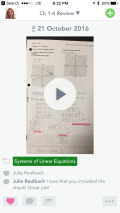
Here is a glimpse of what students see in the SeeSaw feed.  When they click on the folder, they can see all of the videos that relate to that folder.
Math Survivor Game!

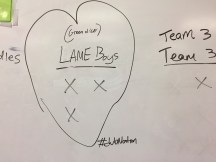
Math Survivor!  Which team will be eliminated first?  Which team can survive?

img_9343After reading about Grudgeball on Elissa’s site and then here, I couldn’t wait to try it.  I decided to call it Math Survivor since we were “voting teams out of the competition”, and I didn’t have them shoot a nerf ball.  I’m glad I eliminated the nerf ball, because the voting people off took forever by itself!

I love jumping right in and trying new things.  However, sometimes this means I fail.  And fail I did at first!  I must have misread the instructions.  I thought that ALL teams got to erase x’s each time.  That made sense to me, as why else would they work hard to get the question correct?  However, it became obvious during my first class, when ALL teams were quickly eliminated, that my game had a flaw.  I adjusted it for the next class, letting them add points back more easily, but then everyone was just tied.  Finally, for my third class, I decided to let only one team at a time take off x’s.  DUH.  To keep kids active, I told them that if the team voting x’s off missed the question, I would roll dice to see which team got to take their turn.  This keep everyone motivated for every question.

The game I made is for Piecewise Functions and Transformations, but I also made a blank template.  Here are my rules, templates are below.

Goal:  To be the last team standing (still have x’s)

Rules:

  1. Every team starts with 10 x’s.
  2. Every team works on every question.  Only one team at a time gets to eliminate x’s for each question.  I just rotated around the room.
  3. One team at a time gets to erase 2 x’s, if they get the question correct.  They can erase 2 x’s from one team, or erase one x from two teams.  They cannot commit suicide  (erase their own x’s).
  4.  If the designated team misses the question, then another team gets to erase the two x’s.  I rolled dice to decide which team.  You could also pick popsicle sticks.
  5. Once a team is eliminated, they cannot add x’s back, but they can still vote other teams out!  (Some teachers let teams add points back or eliminate x’s).
  6. I let kids make alliances.  It almost never works out!  Just like in the real Survivor, alliances quickly crumble.  lol!
  7. TIP:  Only let one person per group erase and make them decide BEFORE coming up to the board who they are going to eliminate.  Otherwise, peers from the other teams can influence them once they are at the board.  I even do a 5, 4, 3, 2, 1… count down.  You can also ask them (have them write it on a white board, and erase the x’s yourself if you have a very enthusiastic or overly competitive class).

Blank Template and Piecewise Functions and Transformations Template.

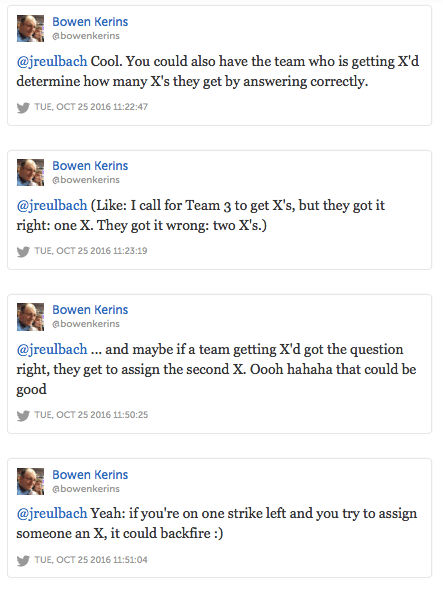
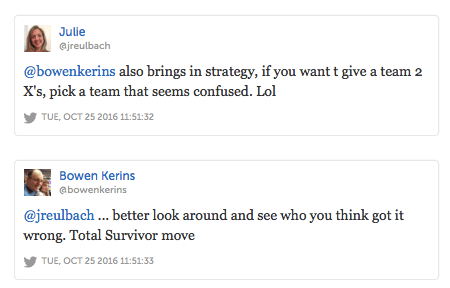
Update: Thanks to the Twittersphere, I had some great feedback from Bowen Kerins!

screen-shot-2016-10-25-at-1-51-18-pmscreen-shot-2016-10-25-at-1-51-28-pm

screen-shot-2016-10-25-at-8-53-16-am

Introduction to Transformations Marbleslides!

I just made my first Marbleslides in Desmos!  It was incredibly easy, and the students said it was a really fun way to learn.

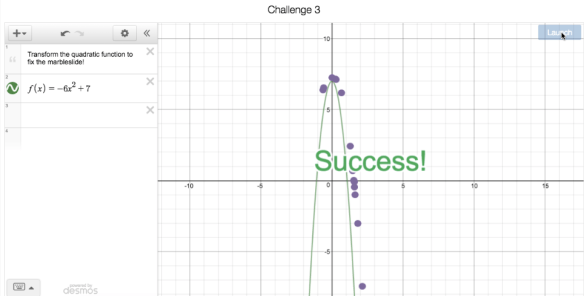
This Marbleslides activity introduces students to transformation form and lets them practice moving graphs around with Marbleslides (SUCCESS!!) using the new parent graphs they just learned.  My students know transformation form with linears, y = a(x – h) + k, but have not moved any other graphs around yet.  (For this activity I used the absolute value, quadratic, square root, and cube root functions.)

I have two goals with Desmos this year.

  1. Shorten my Desmos Activity Builders, so that I have time in class to practice with the students outside of Desmos.
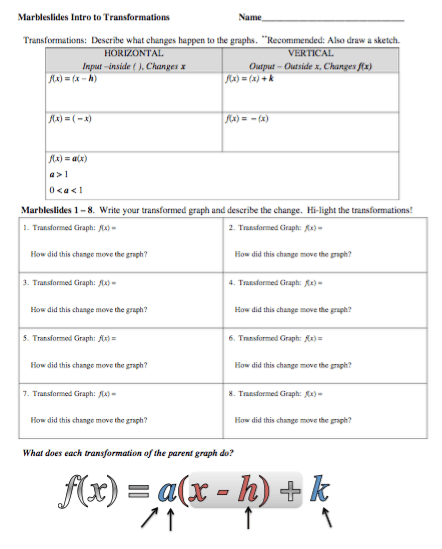
  2. Make worksheets to accompany my Desmos Activity Builders, so the students can have notes to look back on.

I felt this activity accomplished both, and my students really seemed to enjoy it.  I have provided the activity and the worksheet for you to try.  I would love feedback!

Desmos Introduction to Transformations Marbleslides

trans-ms-des

screen-shot-2016-10-22-at-9-52-32-am

QR Code Stations – Function Notation

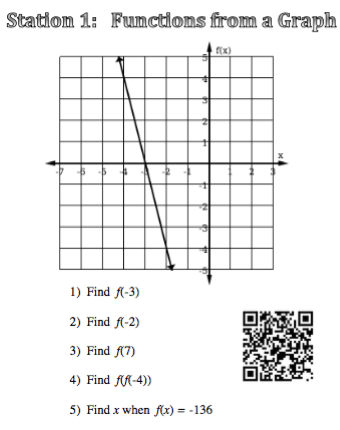
We have been working on “building” equations to solve for x , literal equations and an introduction to functions.  After flooding my students with function notation, I decided we needed a day to practice.  One of my favorite ways to let students practice is stations.  I love station work because they allow students to move around the room AND work with different people all period.  I let them pick their partners to start, and I put 2 sets of partners at each station.  They can work with all of the people at their table.  However, I strongly encourage them to work at their own pace.  If they finish and want to move on, or want to stay longer it’s all ok.  Students that work at about the same pace usually end up with each other. No students are bored waiting on others to finish, and I can spend time working with students who have question.  I rove from station to station answer questions so I feel like I get to connect with individuals as I help them.  It is a great day all around!

I still use the clear picture frames to display the problems, but now I put the answers online, so all students can easily see them and have them for later.  This also allows students who may not finish (or who are absent) to access all of the questions and solutions later.  Students can access the answers by scanning a QR code at each station.  Many of my kids have a scan app, but I found out yesterday (from the students of course) that Snapchat has a QR reader.  Here are my function stations.  The QR codes will be active until the end of the 16-17 school year.


screen-shot-2016-10-02-at-2-48-02-pm