I am teaching negative numbers to my 6th grade class. Most of them have either never worked with operations on signed numbers or have only worked with them briefly. As soon as I brought it up, many students groaned. When I inquired about the groans they told me, “Oh – I HATE those!” and “I just don’t GET them.” A few students however were happy to offer up the “rules” that they had memorized. Unfortunately, the pretest I had given showed that even those students were not computing the signed numbers correctly.
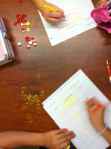
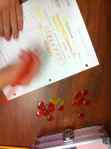
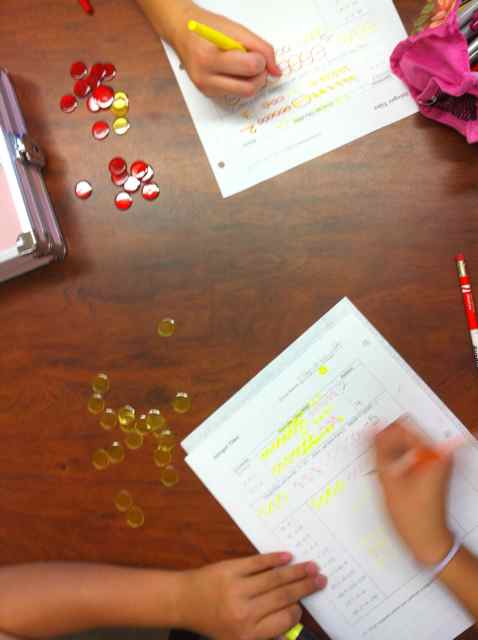
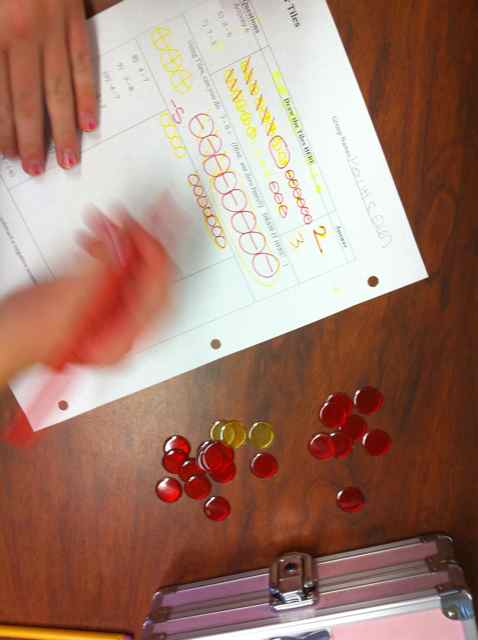
I basically had a blank slate. So, I decided to start from scratch and introduce signed numbers using red and yellow integer circles. I made a worksheet where they progressed through the following problems.
- addition of numbers
- addition of negative numbers
- SUMMARY
- subtraction of numbers
- zero pairs
- subtraction of negative numbers
- SUMMARY
-
-
-
Integer Circles and Worksheet
I had them draw the circles on their papers and even encouraged them to use red and yellow markers. The loved it and understood it all! Until we came to subtraction of negative numbers like 4 – (-3). For some reason, this concept really gets kids. Even with the circles in front of them, they want to make this problem 4 + (-3). It happens over and over again. In my past experience it is misunderstood by so many that I honestly thought about teaching multiplication and division of signed numbers first and then just saying, “You are just distributing a -1!” But, my conscience would not let me. I wanted them to really SEE it! So, I plugged on, showing them how if you have four yellow circle (+) and you put three red circle (-) down to cancel and get 1 circle then you DON’T have 4 – ( -3), you have 4 + (-3). At this point, I heard many “lightbulb” moments throughout the room.
We also went outside and drew number lines with chalk on the sidewalk and then “walked” the problems. They actually walked out how a subtraction of a negative ends up adding. They really seemed to get it.
Before class was over I did a three question “quick check” and did not let them use the circles (but they could draw them). The questions were…
1. -3 + (-4)
2. 5 – 7
3. 5 – (-6)
Everyone in the entire class got number one right. Only two kids missed number two. But, over half of the class missed number 3! The most common incorrect answer was -11 !!
In summary, I think that the chips were almost a success as they now get everything but “subtraction” of negative numbers. Almost isn’t good enough however. And, I don’t want to just tell them the rule and have them compute it. I want them to understand it and to know it. But, I feel like they have done so much work with this (two days) and are still lost on this concept.
Maybe I am expecting too much too soon. I have not taught this grade level before. Is this such a new and foreign concept to them that it just takes a while to absorb and a lot of practice to be able to calculate this sort of problem? Will they eventually get it or must I insist on them getting it now.
UPDATE: FOR NEXT YEAR:
I don’t know about you guys, but my brains works fiendishly at night while I sleep. I wake up in the morning refreshed and with new ideas churning (especially if I am thinking of an issue (or blog about it) right before I go to bed. So, here is what I am going to try next year.
Day One – Addition and subtraction of numbers, excluding subtraction of negative numbers. I am going to use three models.
- circles
- money (thanks Cathy!)
- “walking” the numberline
I want them to be very secure in this concept and to UNDERSTAND that 3 + (-4) is the SAME thing as 3 – 4. To strengthen this I am going to draw the circles on the board and have THEM make up the equations, then have different people write their equations on the board. The kids will see how the different equations mean the same thing. I may have them make up money stories as well for this.
DAY TWO: Subtraction of Negatives
For the warm-up I will review yesterday and introduce zero pairs. Then, I am going to START with the number line (or the money), or both. I will then move to modeling with the circles. THEN I am going to have them write the equations for the ones that I model. Finally, I am going to insist that they re-write 8 – (-2) = 8 + 2, over and over again. I want to spend an entire day on this because they seem to really get everything else, but this throws them!
If you have any comments, suggestions, or great ways you conveyed this to students I would really appreciate it!





 I Speak Math