Our Code.Org Coding Success – A Summary

Screen Shot 2013-12-17 at 12.43.19 PMLast week my students participated in the Hour of Code.  It was an overwhelming success!  They enjoyed it so much that they continue to code, and they continue to ask me everyday if we are going to code in class.  As soon as they have any extra work time in my class, they are coding!  With these amazing results, I am looking to the future.  I would love to plan lessons and projects with coding involved.  I only hope I have the time to prepare this for my students.  They deserve it.

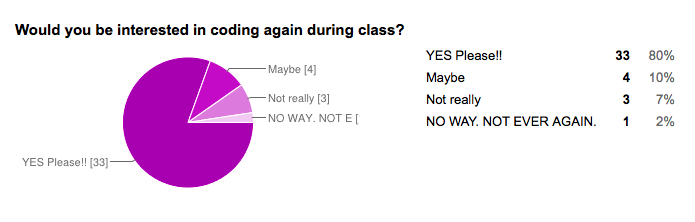
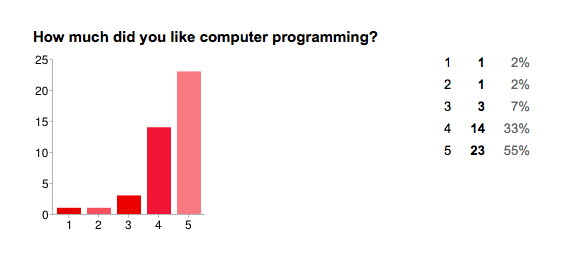
After our Hour of Code, I surveyed my students to see if they liked coding (on a scale from 1 – 5), and if they would like to continue coding in class.  The results are below.  I have included some excerpts and  you can also read their responses in detail here.  They were emailing me their creations, so I created a “Coding Creations” wiki page where they could add things they have created (or continue to create).
Screen Shot 2013-12-17 at 12.31.13 PM Screen Shot 2013-12-17 at 12.30.54 PMScreen Shot 2013-12-17 at 12.31.04 PM

Quotes from students:

It was really fun to just type in all the stuff and have no clue how it was going to turn out. It was also really fun when I got home and had to figure out what was wrong in all the billion lines of code I had typed in class. After hours of work all I had needed to do was take out the commas in the character’s speech. Thanks to the Hour of Code I am ready to go back and add in more complicated things to my campaign. Computer programming is really fun, and I can’t wait to do some more.

It was interesting and pushed my mind further and gave a sense of power in my mind and keyboard

I love coding so much! I think it is so fun to watch the videos and learn how to code! I woke up at 4:30 two mornings ago to code, and at 5 the day before. I am obsessed.

I thought it was really cool how you type in numbers and words, and it is linked to a little picture. I loved how you could make the holiday cards on khan academy! It was so fun! I also loved how it seemed really hard at first, but after you got the hang of it, and memorized the basic codes, you could create complex pictures.

I think it is really fun to look at all the things we use computer programing for and how important it really is in modern society and then be able to learn to do it! Its AMAZING!

I loved computer programming because you got a head start for the future. This has made me want to do more computer programming in the future!

I did 5 because coding is fun and interactive. It may seem scary but there is a world of computer science out there and coding is one major part.

I LOVE TO CODE!!!! DO MORE!!

I also asked them, “What did you like best about coding?”.

I liked best about coding that I could just type some letters and numbers and make what I imagined come to life! It truly is amazing.

It was very cool how you really got to control your computer and that you could build anything you wanted to.

I liked that it really made you think.

What was so cool was that after you got the hang of it you were basically doing it by yourself, at your own speed, and what every you wanted to draw.

It let your creativity flow, you could make anything you wanted with no strict deadlines.

I like coding because it lets you express your self in a more complex way.

The multitudes of possibilities and how simple it really is.

The fact that i could create those things on a computer just by typing in stuff!

The challenge and the good feeling when your character does exactly what you planed for it to do.
Hour of Code = Amazing Success

I cannot say enough good things about the “Hour of Code” that my students participated in today.  When I showed them the intro film yesterday they were so excited about coding they begged for the website link.  I gave them code.org/learn.  Another teacher told me that they started working on it immediately in work time yesterday.  Multiple students told me they went home and worked on it last night, some for a couple of hours.

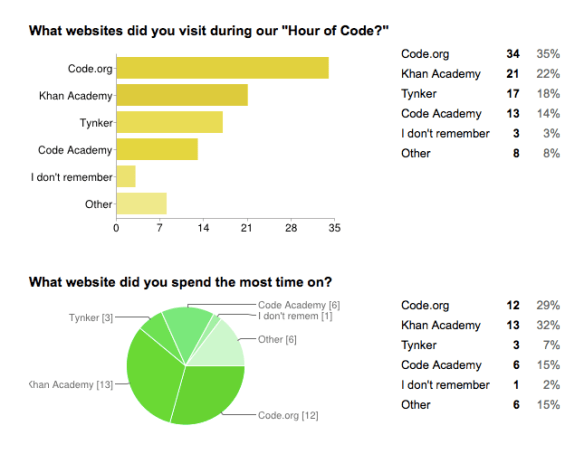
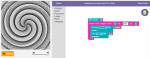
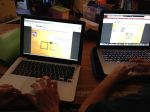
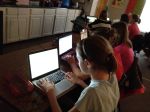
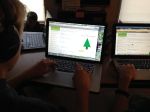
Today, they ran into my room before class even began and asked if they could start.  I was overwhelmed with their excitement and curiosity in coding.  They started with the code.org/learn tutorials but many of my students quickly moved on.  Some of them ended up on Tynker or Code Academy, but the majority landed on Khan Academy and learned to write Javascript on their own.  It was easy for me as all of the websites have video tutorials.  Students were working together and asking each other for help if they had questions or when they got stuck.  At one point, I had half of the classroom around one students computer until he told them to “go and sit down so he could think!”  I took some pictures and videos to share (see below).  If you watch the video clips, be sure to listen to all of the students brainstorming about their programming in the background.  I just noticed that when I watched the video again.  There definitely was a “electric math/computer” buzz from all of my students in the background!  Videos on YouTube!

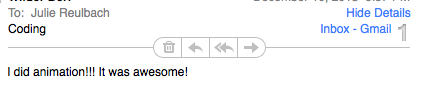
I signed up on the code.org website but did not receive an email with instructions or a teacher code.  I later saw that I could have the students enter my email address on their code.org page, but by that time they were very involved and I didn’t want to interrupt them to have them put my email in.  Even though I would love to get a summary of what they accomplished it was not worth stopping them.  The whole point of the day was to get all of my students coding.  The mission was accomplished, as I’ve had several students email me the progress they have made tonight with the projects they are still working on!

Screen Shot 2013-12-10 at 10.26.53 PM

Screen Shot 2013-12-10 at 10.28.19 PM

I’m not sure how long these tutorials will be available, but I do intend to find a way to give students class time to learn coding in the future.  We have been inspired and I want to give them the opportunity to develop this skill and keep this excitement alive!

Videos on YouTube!

Participate in the “Hour of Code” for Computer Science Education Week

Screen Shot 2013-12-09 at 10.30.18 PM

I’m so excited about the “Hour of Code”.  And, after showing my students some of the promo videos today, they were excited too!  So excited that they begged me for the link so that they could start tonight.  Visit csedweek.org for all of the details!

The goal is to have 10 million students participate in coding this week.  Here is why you should do it with your students.

  1. It’s free.
  2. It’s easy (minimal teacher prep).  Code.org provides many self-guided online student tutorials for ages K-12.
  3. Kids LOVE it. I introduced it by showing my students the promo videos. My 7th grade students got so excited!  There are 1 minute5 minute, and 9 minute versions.
  4. You can use computers and other devices.  They also have suggestions for classes with only a few computers.  If you do not have computer access, they even have off-line activities.
  5. It’s great for their BRAINS.

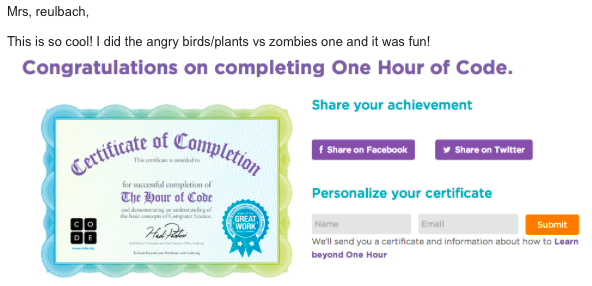
After I gave them the link, students were already working on it today in their free time and at home tonight.  One student emailed me her certificate of participation after completing the first tutorial!

“This is so cool!  I did the angry birds/plants vs zombies and it was fun!”

Screen Shot 2013-12-09 at 10.23.32 PM

Here is an “Hour of Code” Walkthrough video for teachers.  I watched this first.  I am doing our hour tomorrow in class and will let you know if I have any tips.

Hour of Code Handout for Schools

Also, these stats will convince you!

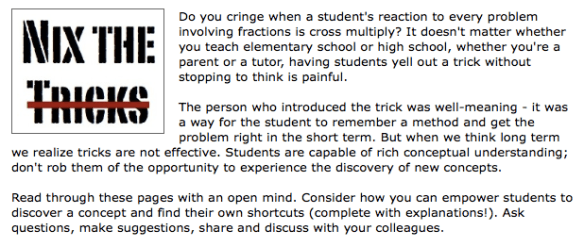
Nix the Tricks: A Must Read FREE eBook for Teachers, Tutors, and Parents

We have all heard them (and maybe even taught or still teach them).  From “hungry” inequalities to FOIL, this eBook talks about the shortcuts that math students use, why they hinder conceptual understand, and even offers advice on alternative teaching methods.  Each section focuses not only on a “trick” that could be “nixed”, but a fix as well!  Student examples are included.

Nix the Tricks covers everything from 2nd grade to high school math and should be read by every teacher, tutor or parent that teaches math.  

Screen Shot 2013-12-08 at 5.05.43 PM

For over a year, math teachers in the online mathematics community (known as the #MTBoS) have been contributing the tricks that frustrate them the most.  Tina Cardone compiled all of these tricks and put this amazing resource together!  The best part of this entire concept is that it is still being updated and edited!  As always within the open source #MTBoS, you are invited to join in on the conversation to discuss the tricks and even submit the tricks that frustrate you the most.

Screen Shot 2013-12-08 at 5.20.05 PM

Tina is also working on a printed version of the book that can be ordered online.  Download the eBook and like the Facebook page for updates on the printed version and new revisions.

Screen Shot 2013-12-08 at 5.24.42 PM